Available now
Windows
Version 1.6.0 · Windows PC
$4.99 USD + applicable tax
One-time purchase. Permanent license for one active PC.
Buy for Windows Already purchased? My licenses
Your farm. Your command center.
A farm management companion
for Farming Simulator 25 console players.
Version 1.6.0 is here
Your next season.
Starts with 1.6.0.
1.6.0 is available for iPhone, iPad and Windows.
iOS · $2.99 USD on the App Store.
iOS 15 or later · One-time purchase · No account required
Take command on WindowsWindows 1.6.0 · $4.99 + tax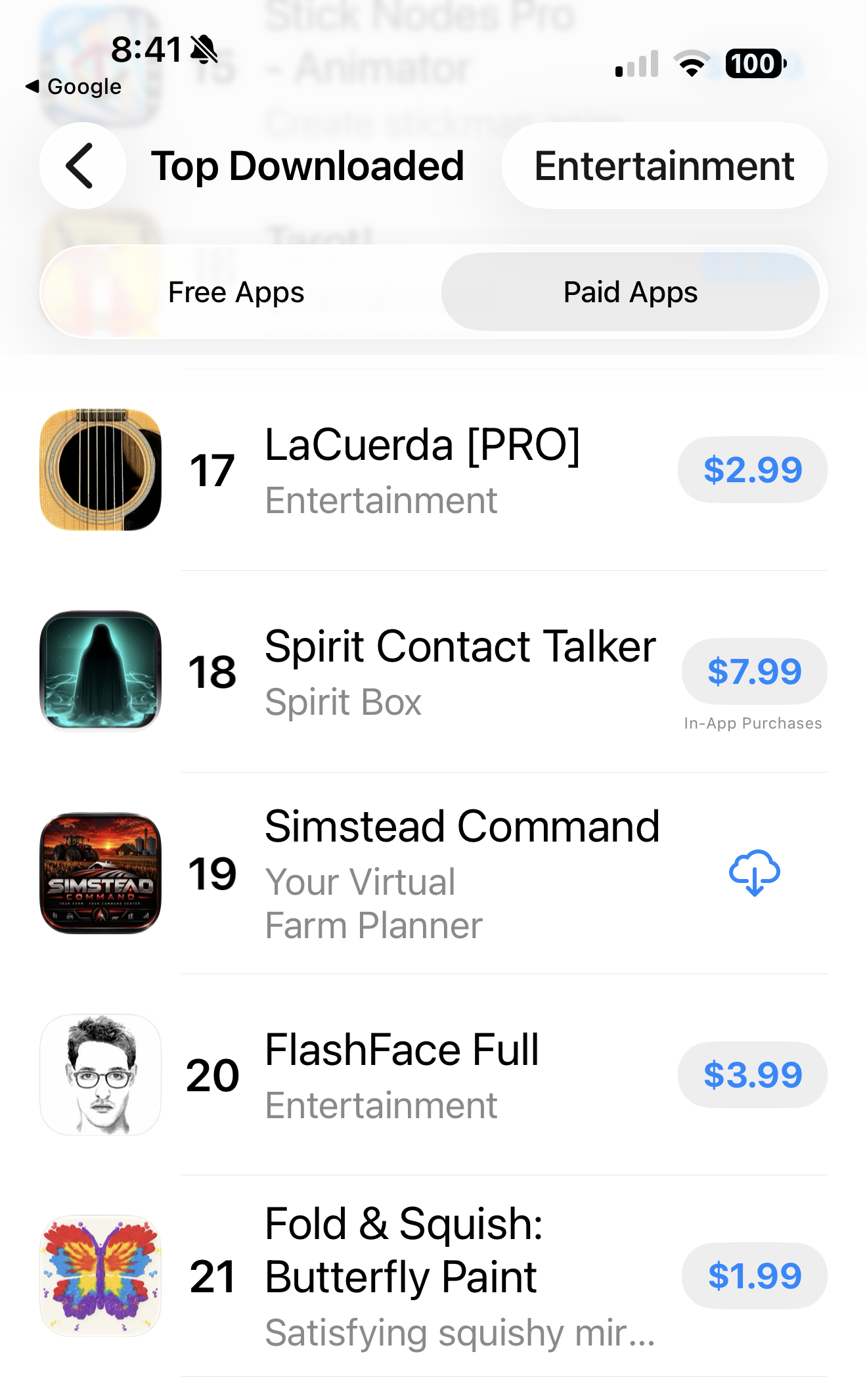
Your farm. Your platform.
Version 1.6.0 · Windows PC
$4.99 USD + applicable tax
One-time purchase. Permanent license for one active PC.
Buy for Windows Already purchased? My licensesVersion 1.6.0 · iPhone & iPad
$2.99 USD on the App Store
One-time purchase. Your farm plan, right in your pocket.
Buy on the App Store Requires iOS or iPadOS 15 or laterComing to Google Play
Not available yet
Still in closed testing. We will announce the public launch separately.
Google Play · Coming soonSee Android testing informationInside version 1.6.0 / Available on iOS & Windows
From the first wagon load to your next feed delivery, bring the details of your operation into one command center. Here is what you can do in 1.6.0.
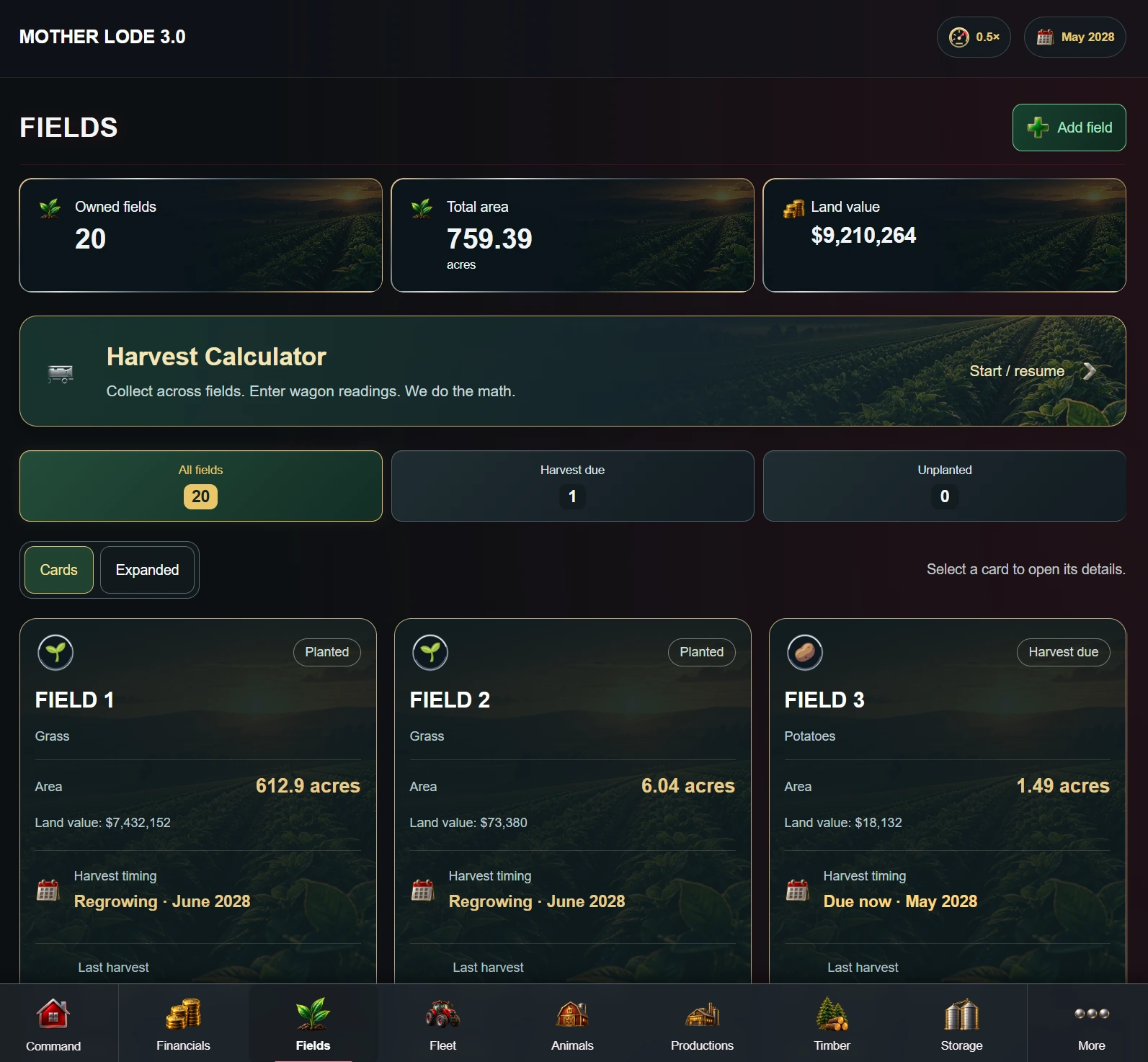
Harvest Calculator
Record wagon readings as you work across fields. Save a draft, record unloading, undo a reading and review how the harvest is assigned before completing it.
Keep harvest quantities and field records together, with a report you can review afterward.
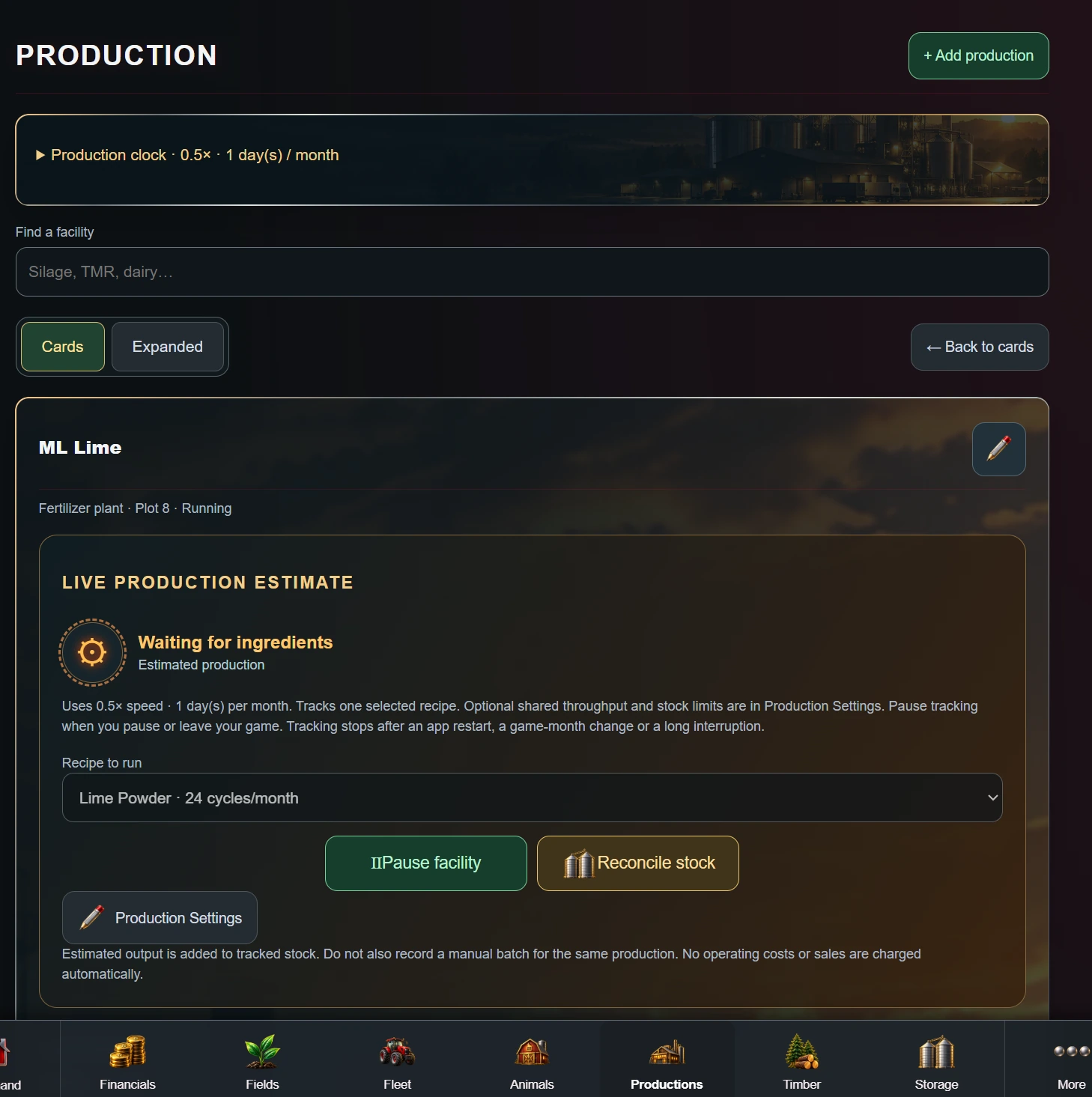
Production estimates
Set recipe inputs and outputs, start or pause estimates, and reconcile tracked stock with the quantities in your game. Optional throughput and capacity settings help model your facilities.
On iPhone and iPad, estimates pause when you leave the app. Resume tracking when you return.
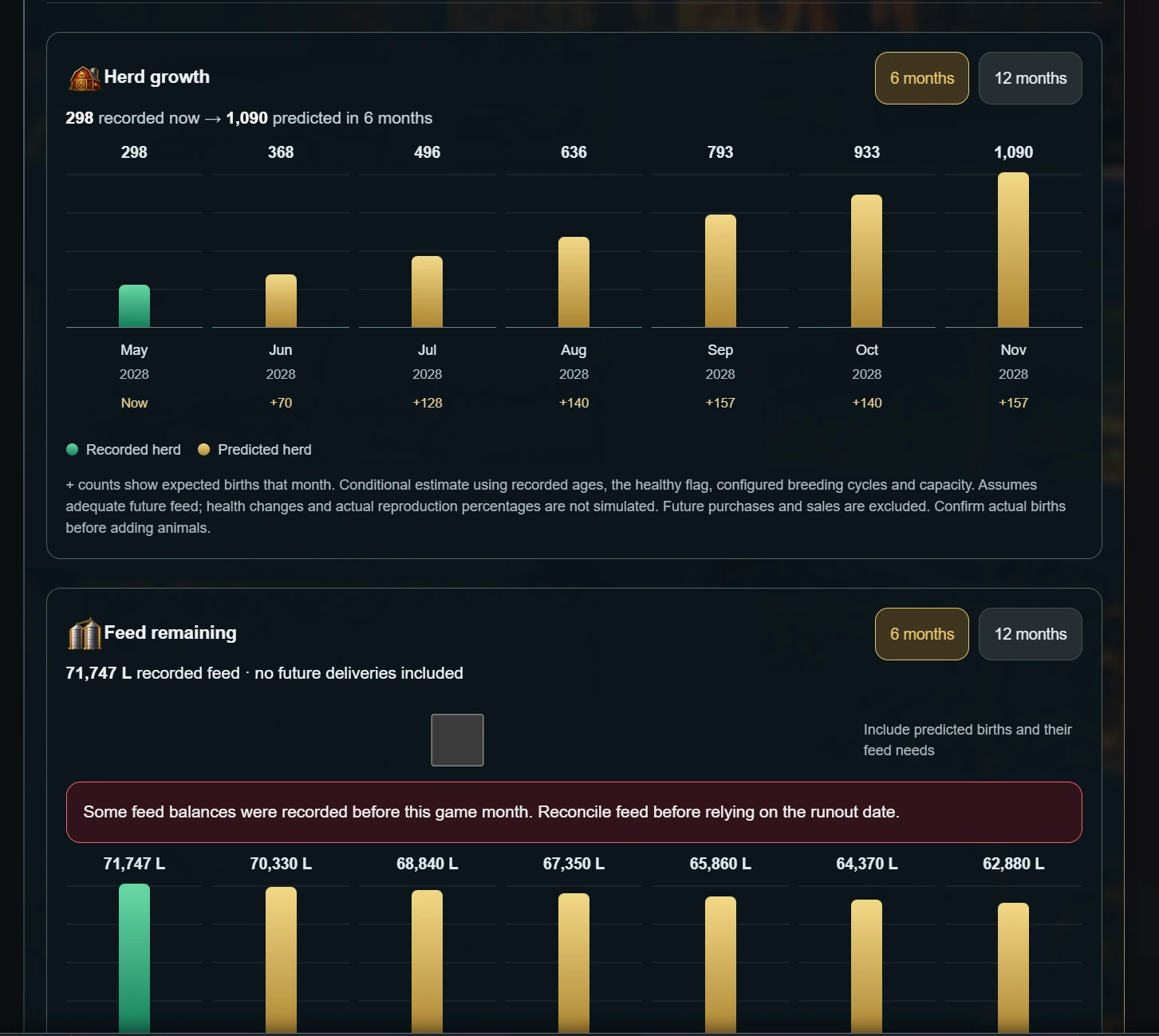
Herd and feed planning
Record animals and newborns, reconcile feed and look ahead at estimated herd growth and feed demand. Archive a pen when your operation changes, then restore it when needed.
Use forecasts to plan deliveries, then confirm actual births and feed balances in your game.
Farm finances
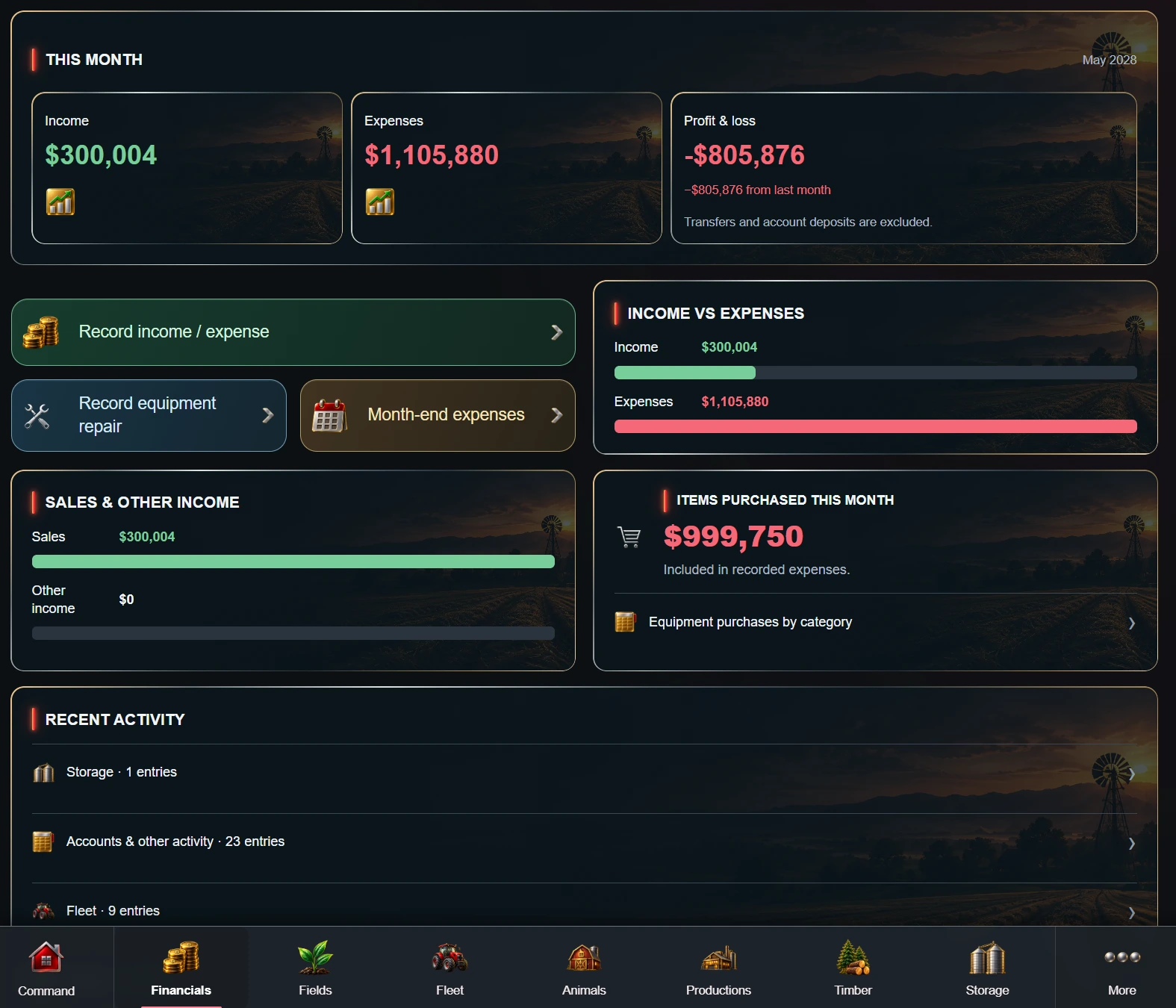
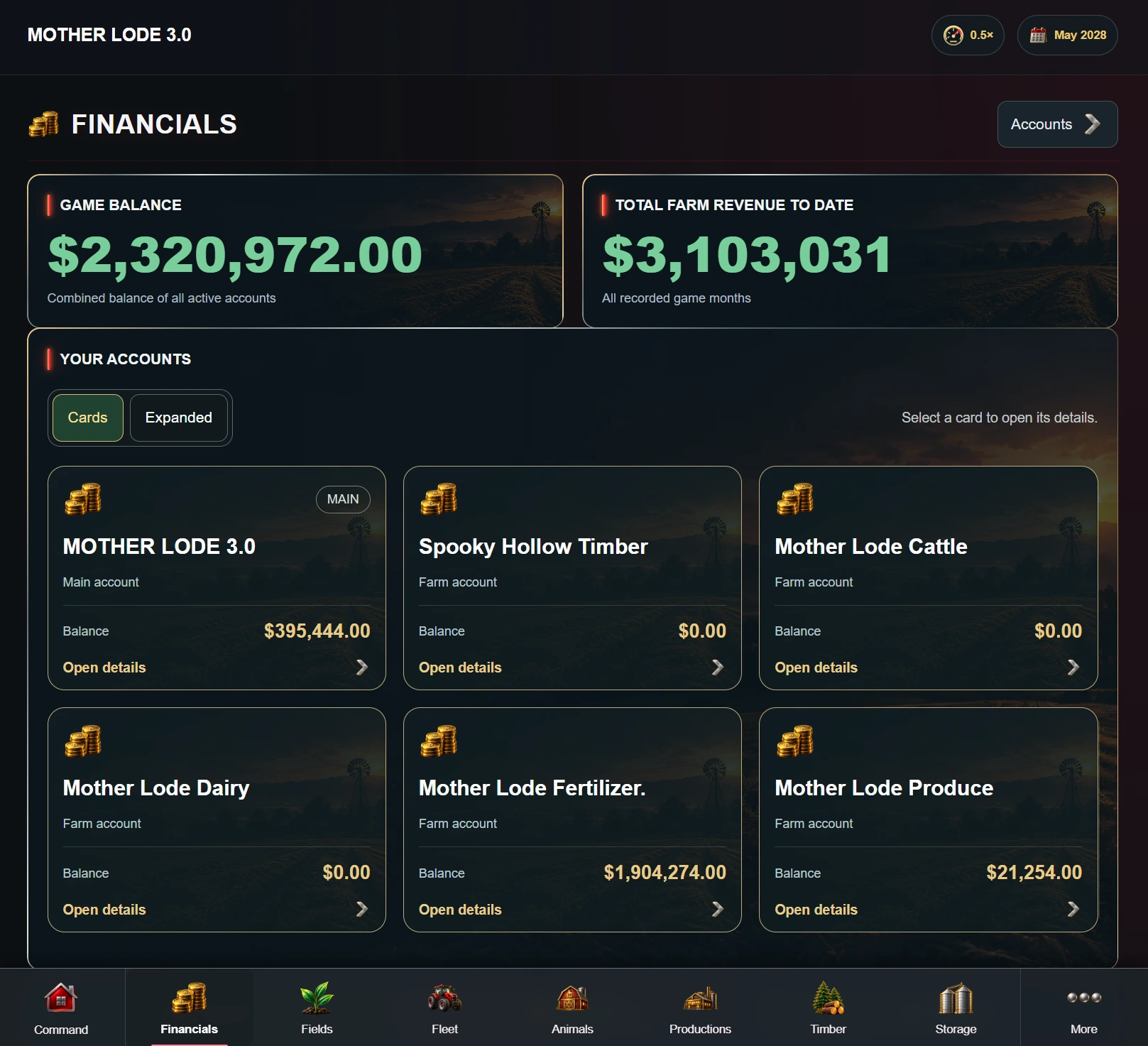
Bring account balances together, record income and expenses, and reconcile your total with the bank balance shown in your game. Review your monthly profit and loss alongside recent activity.
Keep track of the whole operation while organizing money across your farm accounts.
Your screen. Your pace.
Refined tablet navigation, swipe navigation on phones, clearer first-run headings and calendar labels. Set game speed and days per month, and review your last recorded harvest.
Think a season ahead.
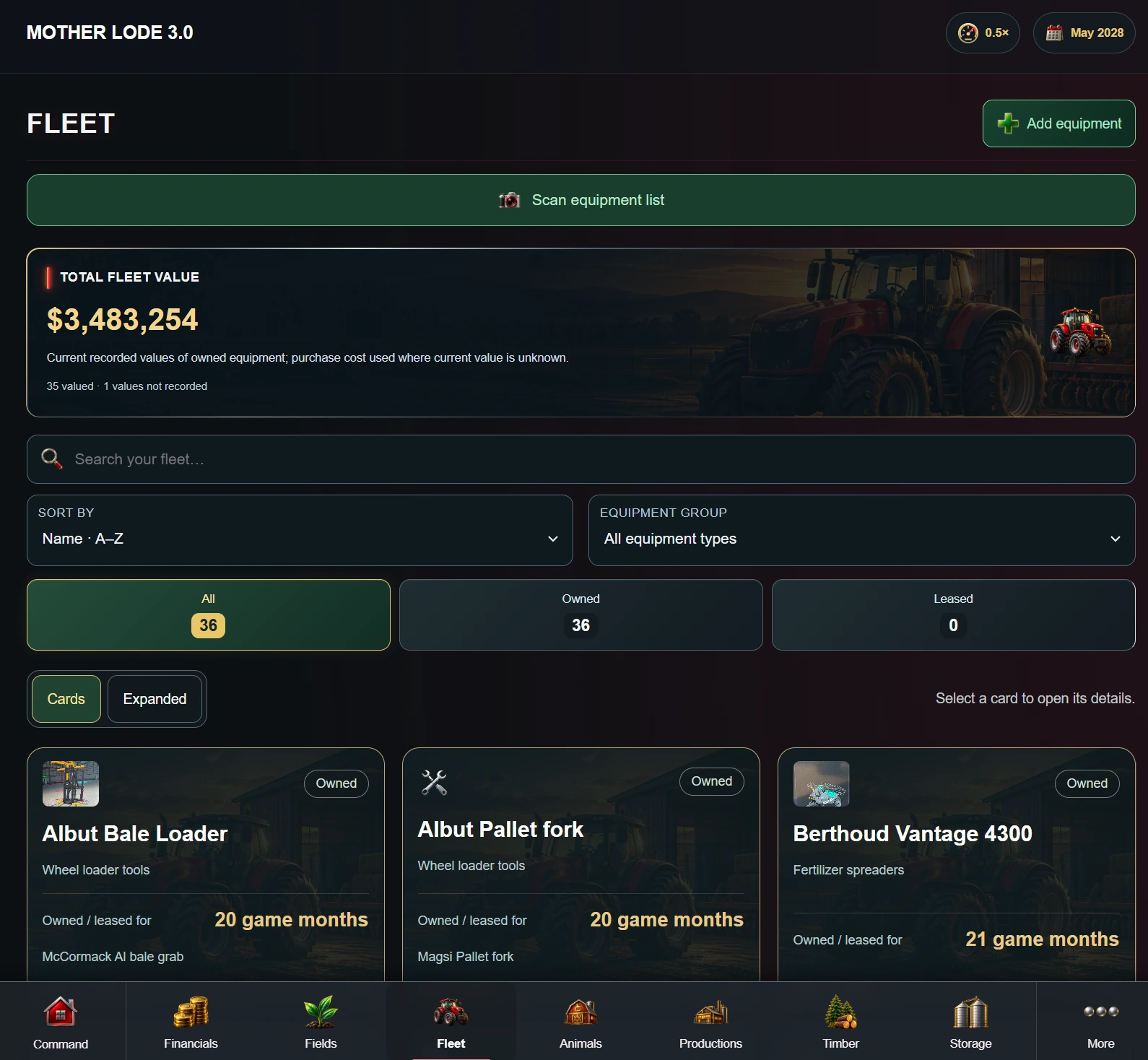
Manage base and custom crops in Crop Center, record market seasons, compare land and track goal funding. Keep your fleet, timber and storage records alongside your plans.
Already own the app? Update through the App Store or download the Windows update from My licenses. Save a farm backup before updating.
Simstead Command for Windows
One permanent Windows license. One active PC. $4.99 USD, plus applicable tax.
Buy your Windows license, then sign in to download your signed installer. Already own it? Your key and download are waiting in My licenses.
Windows purchase & download →My licensesPlan your Farming Simulator 25 (FS25) operation from your phone or Windows PC. Simstead Command helps PlayStation 5 (PS5) and Xbox farmers track finances, equipment, fields, crops and livestock — with a command center beside their controller.
Built for console farmers
Inside Simstead Command
These are screens from the Windows app, showing the farm records, equipment and planning tools you can use.
A clearer view of your farm's numbers.
A plan for the ground you work.
A purpose for every machine.
Attention to every part of the herd.
A bigger picture of your operation.
Your next move, thought through.
Simstead Command was created out of a real passion for farming simulation and the desire to bring better organization, planning, and strategy to console players everywhere.
“Same fields.
A higher level.”
Now available / iPhone & iPad
Take your farm plan with you. Simstead Command 1.6.0 is live on the App Store for $2.99 USD, with a one-time purchase for iOS.
Thank you to our beta testers for helping us reach launch day. Android is coming later; help us complete closed testing.
Prefer a PC? Get the Windows edition.